
Veeam Decoys is an open source project created by Veeam employee Marco Escobar, which employs the honeypot concept by starting up spoof Veeam services. Use the links below to check out his work:
Veeam Community Post: https://community.veeam.com/blogs-and-podcasts-57/veeam-decoys-project-8241
Veeam Github Repo: https://github.com/VeeamHub/veeam-decoy
What is a honeypot?
A honeypot is a technique used in cybersecurity where ‘decoy’ systems are deployed alongside production to direct attackers away from their intended target. This is an effective way of identifying attacks early, giving you time to react while the attacker is occupied.
Targeting backup data is a well known tactic during a cyber event and is often one of the first tasks on the attackers list.
What is Veeam Decoys?
Veeam Decoys has all the characteristics of a honeypot, with the ability to detect and act on a number of tactics and techniquies used by threat actors inside of a network including port scanning and connection attempts. The decoy server itself is a lightweight Linux based appliance setup to look and act like any other VBR server on the face of it, with the ability to run an array of decoy services including:
- Veeam Backup Server
- Veeam Hardened Repository
- Veeam Windows Repository
- Veeam Backup Enterprise Manager
- SSH
- Remote Desktop (RDP)
- Netbios
Let’s jump right in and deploy the Decoys server then run some real world tests.
Disclaimer – Veeam Decoys is an open source community project that is not officially associated with Veeam Software Group GmbH or its affiliates (“Veeam”). Code is not developed by Veeam R&D and has not been through the official Veeam QA process. Veeam is not responsible in any manner for such code and (or) how it works. The code has not been checked by Veeam for malware or other potentially harmful behavior.
Deploying the Decoy Appliance
The full list of requirements and download options can be found using the links at the top of the page – being a Linux appliance there is very little overhead compared to a full blown VBR server deployment. For this demo I’m using the OVA option which requires vSphere 8.0 or higher however there is a manual installation option with a step by step guide in the documentation.
First download the OVA file (1.4 GB) and start the vSphere deployment wizard.
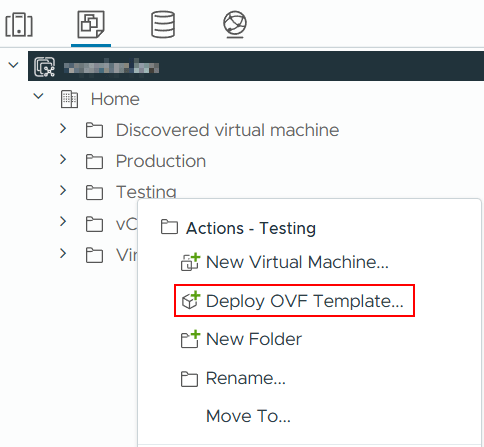
Next select Local file and then select the downloaded OVA.

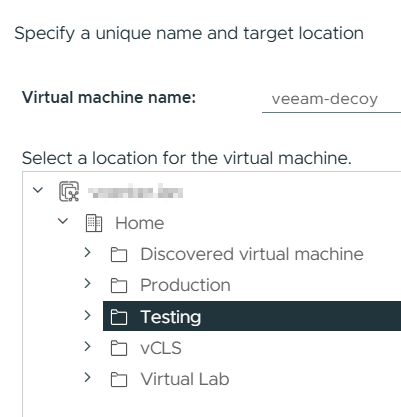
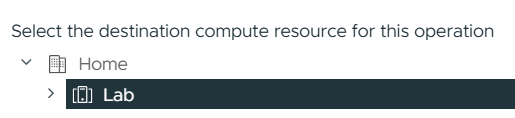
Give the VM an appropriate name, select where it should be located and a compute resource.
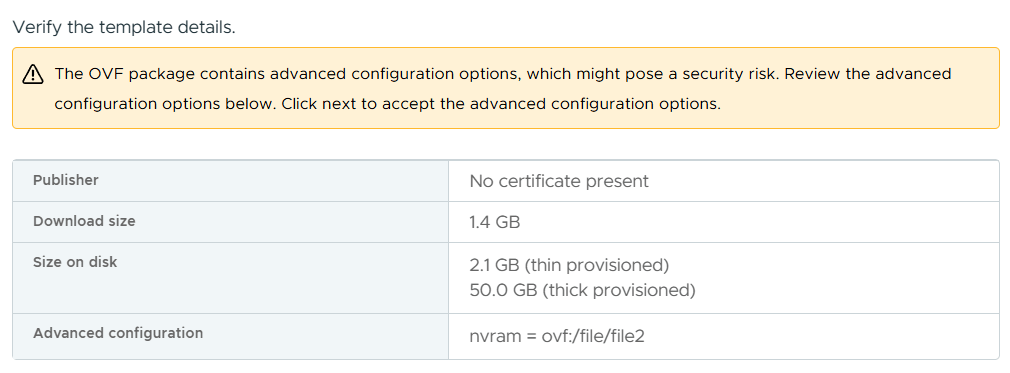
Review the template details and click Next
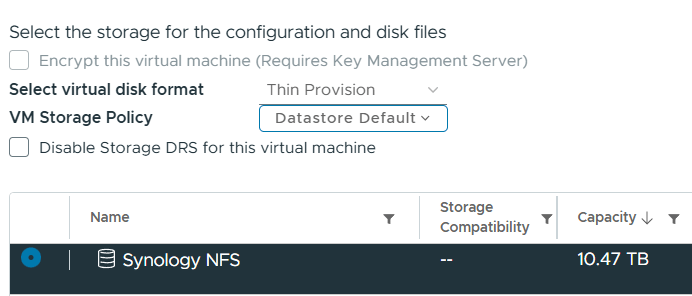
Select which datastore to deploy the VM onto.
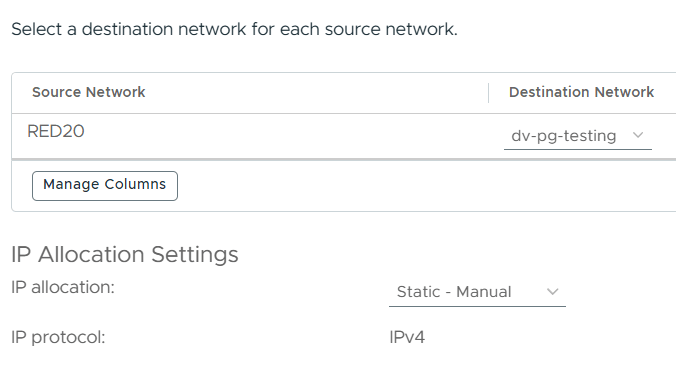
Choose which network the VM should reside on.
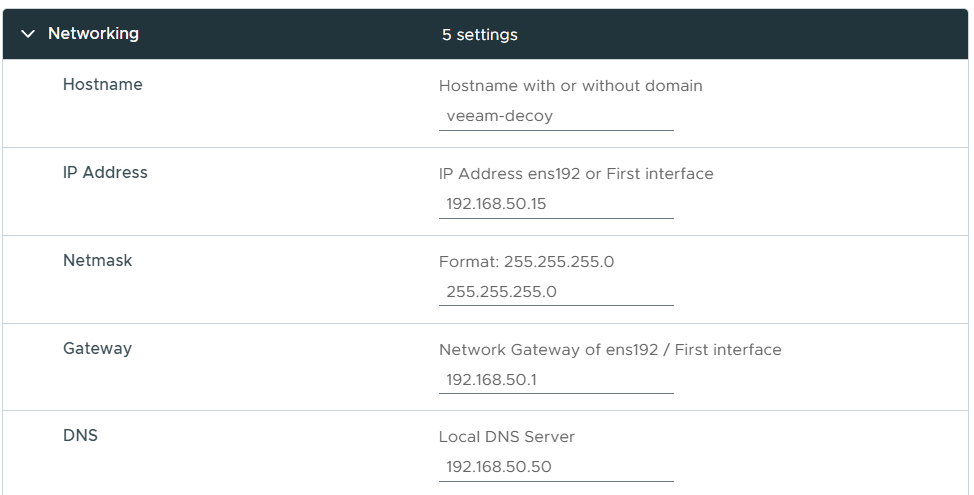
Now we need to provide some specific settings for the appliance.
Under the Networking section set your hostname and IP settings.
Under the Settings section set the NTP Server and timezone for your location and a root password.

Check all the settings are correct and click Finish to start deployment.
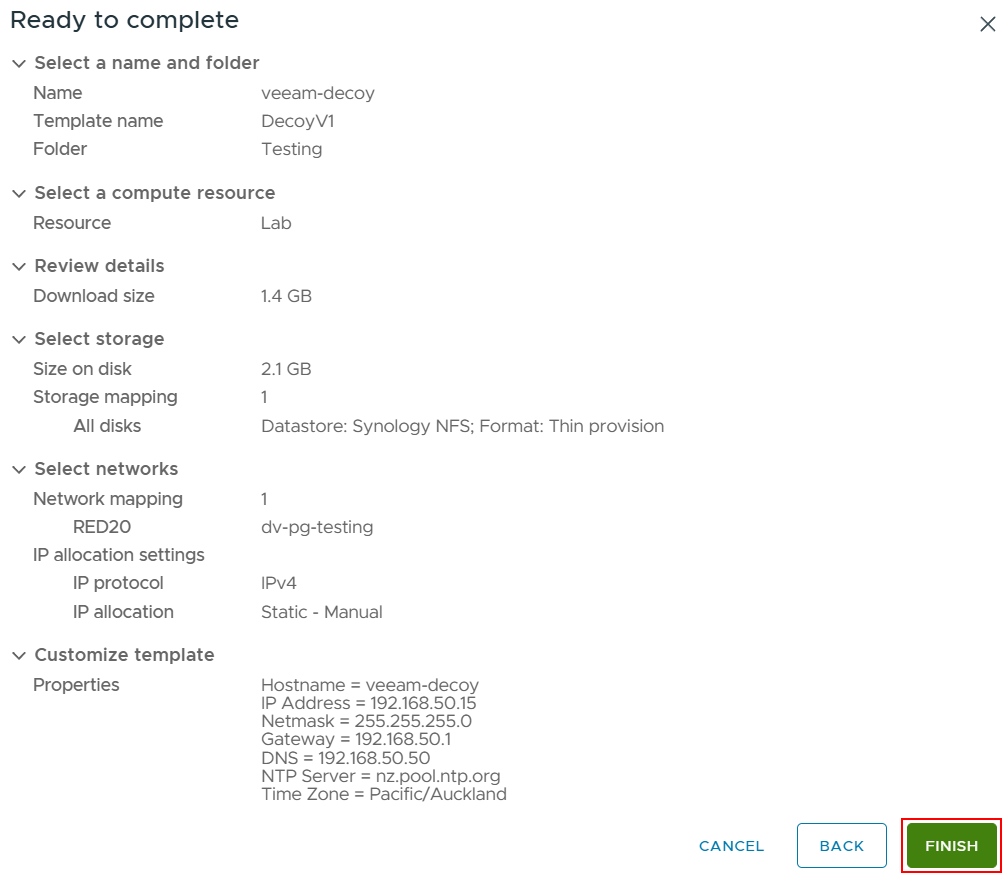
Once the deployment is complete power on the appliance.
Decoys Configuration
Now that the decoy server is up and running, connect to it using either the VM console or SSH. If you are using SSH the port to connect on is 41325.
Log in using the root password configured during the OVA deployment to bring up the Decoy System Management interface.
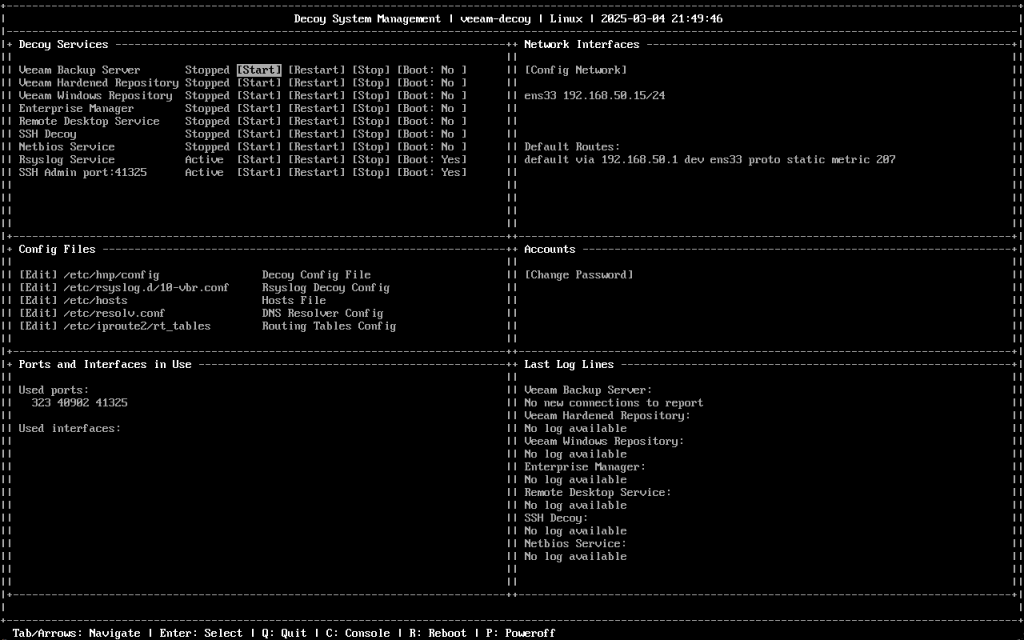
The UI is split up into different sections with navigation between each section possible using tab or the arrow keys.
| Section | Description |
|---|---|
| Decoy Services | Configure which decoy services to running with the ability to control their state and startup preference. |
| Network Interfaces | Shows active interfaces including IP details with the ability configure interfaces. |
| Config Files | Define how the decoy services should behave with the decoy config file. This section has other useful config files including hosts, DNS and the ability to configure alerts. |
| Accounts | Ability to change the root password. |
| Ports and Interfaces in Use | Shows used ports and network interfaces for active decoy services. |
| Last Log Lines | Shows the latest log output of each decoy service. |
At the bottom of the UI there are also some useful keyboard shortcuts including the option to open a console window to the terminal to perform other OS tasks outside of the scope of the UI.
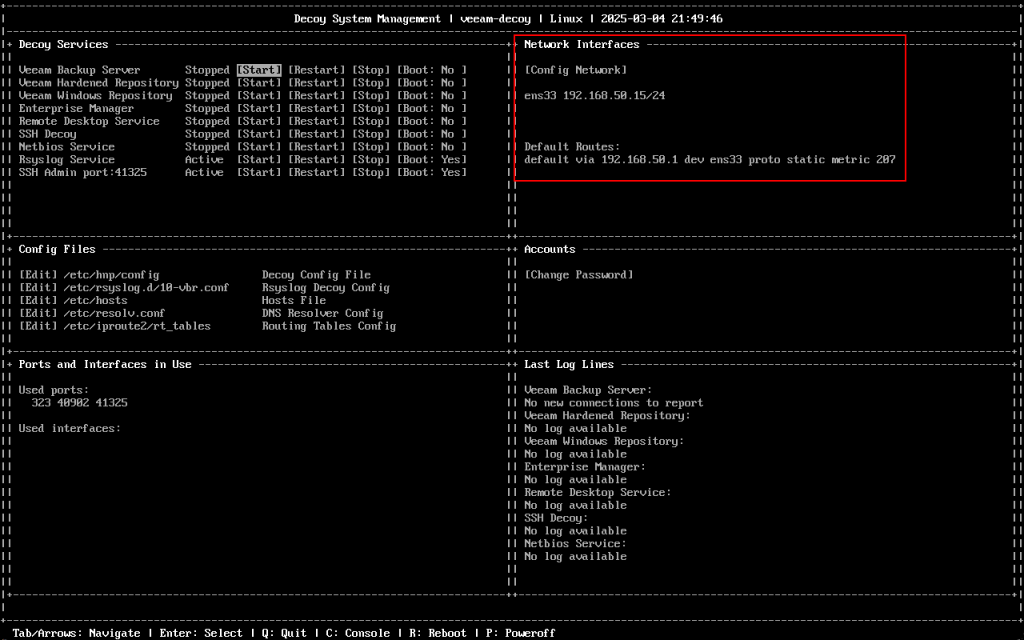
Before going any further, make sure your network interface is setup correctly and assigned the correct IP address as per the OVA configuration. If it needs amending you can use Config Network to change it.
Also make a note of the interface value starting ‘ens’ (located before the IP address) as we will need this in the next step.
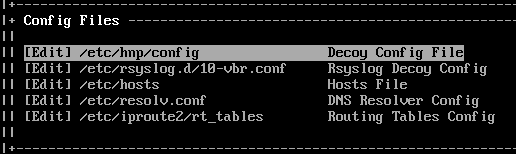
Let’s take a look at the Decoy Config File by selecting Edit under the Config Files section – this will open the file in nano editor. The config file is where each of the decoy services can be configured with the ability to change how they behave.
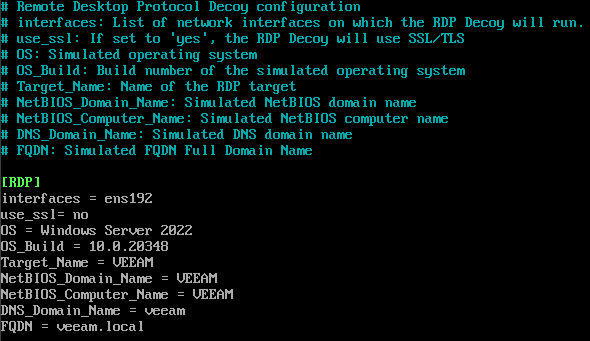
For example, to setup the Remote Desktop Service you have the ability to customise details like the OS build, hostname and so on, allowing you to make the experience feel more authentic to an attacker.
For this example, let’s setup the Veeam Backup Server service. Under the [VBR] section of the config file there are 2 settings. The one we want to look at specifically is the interfaces setting which needs to match the ‘ens’ value mentioned in the previous step. This will ensure the service is running on the correct network interface.

To save changes use Control + X then Y and finally press Enter.
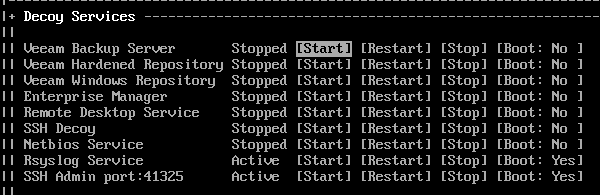
Now navigate up to the VBR service, highlight [Start] and press Enter.
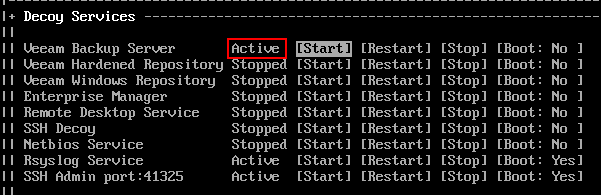
After a few seconds the service should start and change to Active.
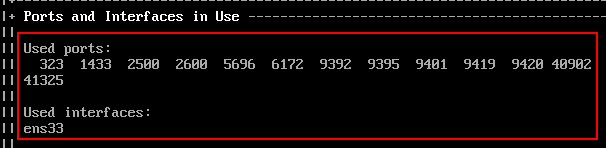
You will also notice that the used ports and interfaces have updated, showing the ports being used by the VBR service.
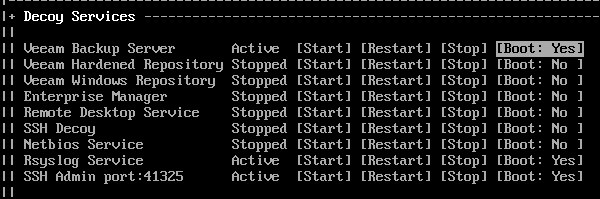
We can also set the service to start up automatically on boot in the event the appliance is restarted.
Attack Simulation
Now that the trap is set, let’s put on our bad actor hat for a moment and perform some actions to trigger the decoy service and log some suspicious activity.

First up, let’s perform a classic port scan on the decoy server’s IP address.
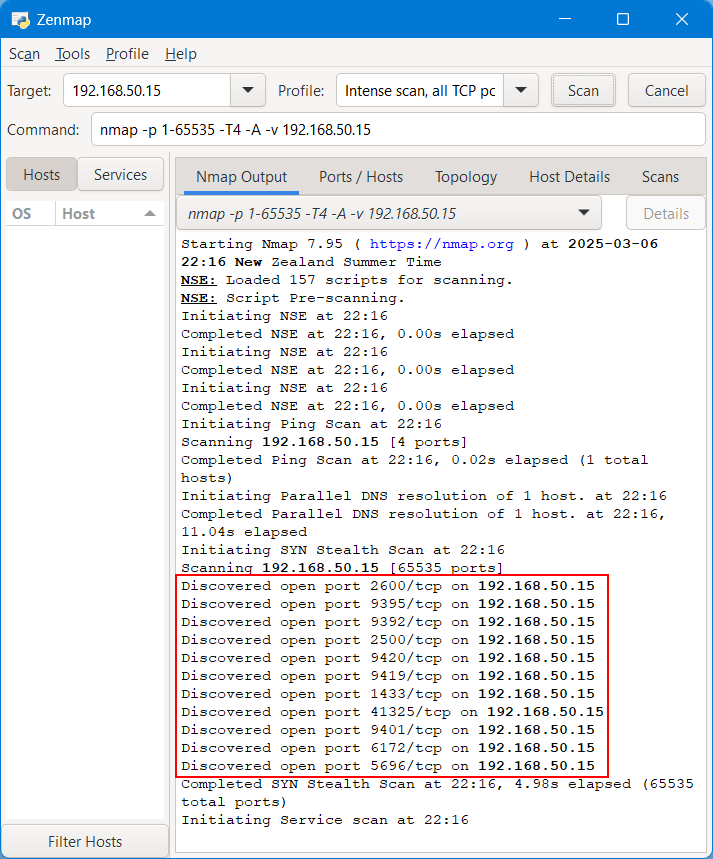
Sure enough, the same list of ports have been discovered. The VBR service on the decoy server intercepts these connections and displays them in the UI as SYN_SCAN events.

Now there is some suspicous activity happening, we need a way to be notified and there are a few options to choose from.
The first method uses SMTP to send an e-mail every 5 minutes if there are connections to any of the active decoy services. This is easy to setup and configure within the Decoy config file.
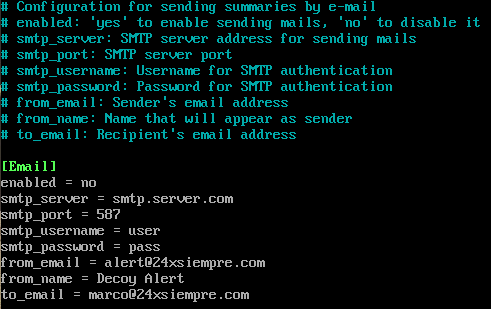
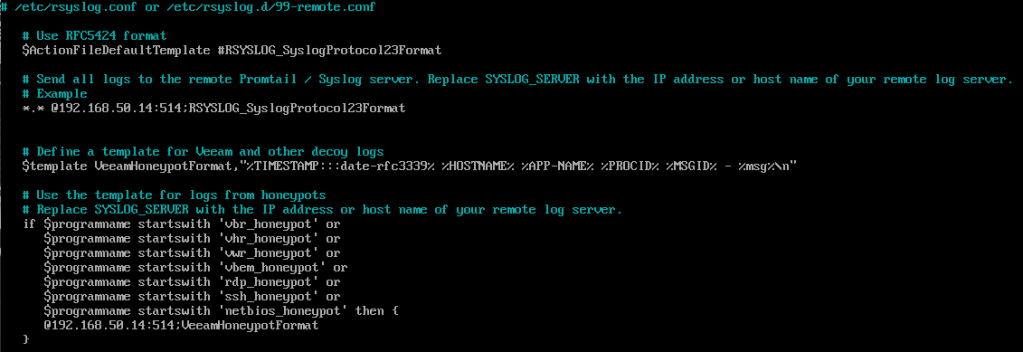
The alternative option forwards logs to a SysLog server. If you have a syslog server already available, it only takes a few moments to set this up. First edit the Rsyslog Decoy Config in the Config Files section.
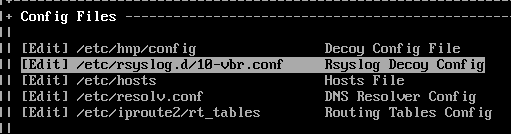
First we need to uncomment the line below.

If you are using TCP for your syslog traffic then the @@ can be left as is. If your syslog traffic uses UDP then remove one of the @ from the line.
Replace SYSLOG_SERVER with the IP/name of your syslog server.
Replace 1514 with the port configured to recieve traffic on your syslog server. Port 514 is commonly used for both TCP and UDP connections on syslog servers.
Next, update the line below using the same variables as above.
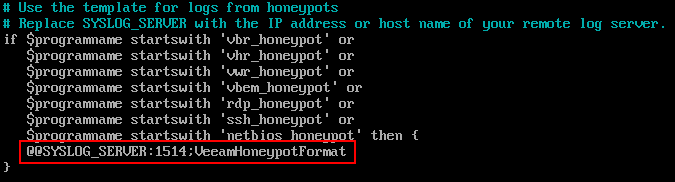
Once done it should look similar to the example below.
Save changes – Control + X then Y then Enter.
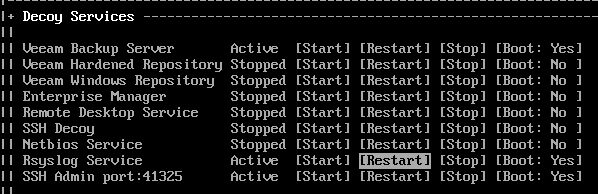
Finally, restart the Rsyslog Service to apply the configuration changes.
Right, back to our bad actor scenario – after performing the port scan the attacker notices the open ports relate to Veeam Backup & Replication and decides to try and connect to the server using the console.
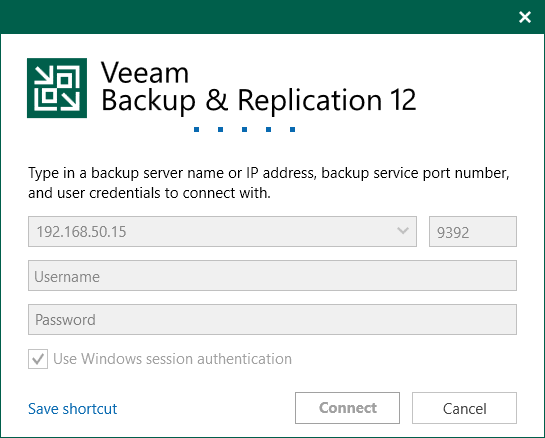
The attacker patently waits to connect, while in the background Decoys has logged the connection attempt and forwarded the logs to the syslog server.
Let’s log into the syslog server to see what’s going on. Aha! A couple of alerts have popped up in the Threat dashboard.

Digging a bit deeper we can see a connection attempt to the VBR console was made with some detail on where it originated from.

Aside from a false positive, we now know it’s likely an attacker is present in our network at this point. Having this information to hand as early as possible is extremely valuable, giving you the opportunity to gather background intelligence about the attack and mount an appropriate response.
Wrapping Up
It’s hard to believe Veeam Decoys is a community driven project given how well it has been executed. While it isn’t official Veeam software, I think it aligns nicely with their cyber resiliency vision we have seen over the past few years.
I’m intrigued to see how this project evolves over time and hope to see the honeypot functionality devoloped further – imagine the attacker having the ability to actually log into the console and interact with dummy data – this could be a way to keep them occupied for even longer.
Deploying Decoys into a production environment may cause some difficulty due to it’s unofficial Veeam affiliation but I think it has real potential and would be a great edition to the VBR product line in the future.
 benharmer.blog
Leave a comment